
 FREE Standard Shipping on Orders Over $50
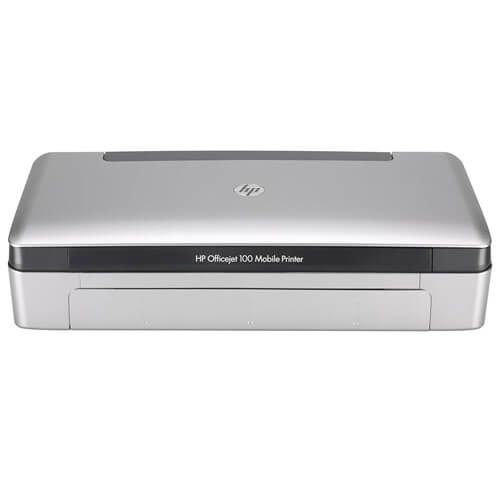
HP OfficeJet 100 Mobile - L411a Ink Cartridges
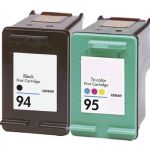
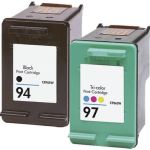
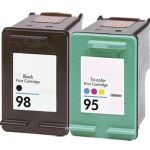
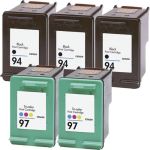
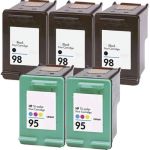
HP OfficeJet 100 Mobile - L411a Ink Replacement Guide
- Remove the new ink cartridge from its package and then pull the colored tab to remove the protective film from the cartridge.
- With the printer turned on, open the front access cover. Wait for the carriage to stop moving. This should take only a few seconds.
- Lift the ink cartridge latch open and gently remove it from its cradle compartment.
- Insert the new ink cartridge into its cradle compartment at the same angle at which you removed the old ink cartridge. Check the symbol on the latch against the symbol on the ink cartridge to make sure you are inserting the correct ink cartridge.
- Close the ink cartridge latch. If the cartridge is inserted correctly, closing the latch gently pushes it into its cradle compartment. Press the latch to make sure it is seated flat on the cartridge.
- Close the front access cover.
- Wait for the carriage to complete the ink cartridge initialization routine and return to the home position at the left side of the printer before using the printer.
- Align the ink cartridges.
HP OfficeJet 100 Mobile - L411a Ink Cartridges FAQs
Can I use third-party ink cartridges in my HP printer?
Absolutely! CompAndSave's generic, compatible, replacement or remanufactured ink cartridges are designed to meet or exceed the OEM specifications. This means that you can get the same print quality and number of prints without paying as much compared to original HP ink cartridges. Aside from this, using generic ink cartridges will never void the printer's warranty. So you can shop and use our cartridges without any worry. For more information about our ink cartridges, click ink knowledge base and you will be redirected to the right page.
What happens if you use the wrong ink cartridge for a printer?
If you unknowingly purchase the wrong ink cartridge for your printer it will most likely not fit inside the machine due to different fittings depending on the model. But in case you manage to install it inside your printer, the printer will not recognize it and will not print.
Replacement HP OfficeJet 100 Mobile - L411a Ink Cartridges Reviews
-
Satisfied customerReview for HP 97 / C9363WN Replacement Tri-Color Ink Cartridge
Needed a replacement but it arrived very quickly and worked perfectly. Thank you for a quick turn around.
Was this review helpful? -
greatReview for HP 94 / C8765WN Replacement Black Ink Cartridge
works, quick delivery
Was this review helpful? -
Review for HP 97 / C9363WN Replacement Tri-Color Ink Cartridge
sometimes I have to bang it on the desk to get the ink in the right place, or the printer says its empty.
Was this review helpful? -
Great productReview for HP 94 / C8765WN Black & HP 97 / C9363WN Color (5-pack) Replacement Ink Cartridges (3x Black, 2x Color)
I received my order in two days
Was this review helpful? -
I love the product and their prices.Review for HP 95 Ink Cartridge (Replacement) - C8766WN Tricolor
I have ordered ink from ComboInk several times and have always been very satisfied with the product.
Was this review helpful? -
Review for HP 98 / C9364WN Black & HP 95 / C8766WN Color (3-pack) Replacement Ink Cartridges (2x Black, 1x Color)
Product works great!
Was this review helpful? -
very dependable and inexpensiveReview for HP 94 / C8765WN Black & HP 97 / C9363WN Color (2-pack) Replacement Ink Cartridges (1x Black, 1x Color)
very dependable and inexpensive
Was this review helpful? -
Review for HP 98 / C9364WN Black & HP 95 / C8766WN Color (2-pack) Replacement Ink Cartridges (1x Black, 1x Color)
Great service
Was this review helpful? -
HappyReview for HP 97 / C9363WN Replacement Tri-Color Ink Cartridge
This was a great price and I received it in a timely time. I use this printer for printing pictures on iron-on transfer paper for T-Shirts and quilt blocks and am well pleased with the quality of the ink.
Was this review helpful? -
Good ink for photos, but not for long.Review for HP 94 / C8765WN Black & HP 95 / C8766WN Color (2-pack) Replacement Ink Cartridges (1x Black, 1x Color)
The photos turned out great.\ The problems were the amount of ink was used up quickly, or the ink would dry up fast, because it's so dry here.
Was this review helpful?