
 FREE Standard Shipping on Orders Over $50
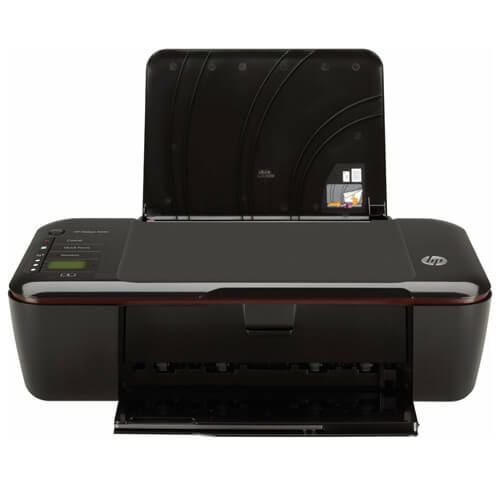
HP DeskJet 3000 - J310c Ink Cartridges
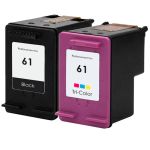
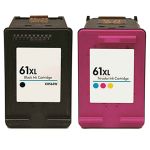
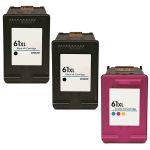
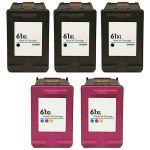
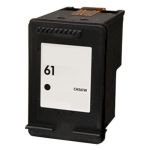
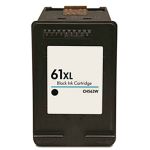
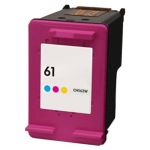
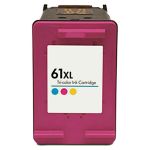
HP DeskJet 3000 - J310c Ink Replacement Guide
- Make sure the printer is on.
- Open the ink cartridge door. The ink cartridge's carriage will automatically move, so wait for it to stop before you proceed.
- To release the ink cartridge that needs to be replaced, lightly press down on it and then pull it towards you out of its slot.
- Get your new CompAndSave HP Deskjet 3000 cartridge. Make sure to touch the black plastic part only, then remove the covering tape that is usually bright in color and the plastic protective case, if there is, before installing it. Open it over a sink or garbage can to avoid any mess in case it leaks, as sometimes factories tend to overfill the ink cartridges.
- Slide the new HP 3000 printer ink cartridge into its respective slot until it snaps firmly into place.
- Close the ink cartridge door.
HP DeskJet 3000 - J310c Ink Cartridges FAQs
Can I print if one cartridge is empty?
Some HP printer models are designed to print only if all ink cartridges have ink, while some printer models can temporarily print even if the color ink cartridge is empty. To print with only black ink, you just have to open the printer software app and then go to the "Print" option. Then choose your printer, followed by selecting the "Printer Properties" tab. After this select "Paper/Quality" or "Features", press the "Advanced" option. You should see the option that says "Print in grayscale" press this option then select "Black Ink Only". Lastly press "OK" to apply the changes.
Please note that this depends on the printer model, as some models require all cartridges to print. To verify, you may contact your printer manufacturer and check if your printer has this feature. Although this option is available, we highly encourage you to replace any empty or low-ink cartridges to avoid printing issues. CompAndSave offers a wide variety of cheap printer ink cartridges without compromising its quality so you can print to your heart's content.
Can you use different brand ink cartridges in an HP printer?
Using other brands such as Canon, Epson, or Brother cartridges in your HP printer will not work. Aside from the fact that other brands of cartridges have different sizes and fittings, the copper contacts or chips of these cartridges will not be recognized by your printer, and installing another brand of ink cartridges might damage your printer. You can, however, use replacement, remanufactured, or compatible ink cartridges. CompAndSave offers replacement HP cartridges that can provide and match the OEM specification without the hefty price tag. Also, using our cartridges will not void your printer's warranty, so you may shop and use our cartridges without any worries.
Replacement HP DeskJet 3000 - J310c Ink Cartridges Reviews
-
very goodReview for HP 61XL / CH563WN Replacement High Yield Black Ink Cartridge
very good
Was this review helpful? -
Review for HP 61XL / CH563WN Replacement High Yield Black Ink Cartridge
Great service, great price, great quality
Was this review helpful? -
What you ordered what you ...Review for HP 61XL / CH563WN Black & HP 61XL / CH564WN Color (3-pack) Replacement High Yield Ink Cartridges (2x Black, 1x Color)
What you ordered what you get! Good stuff
Was this review helpful? -
works beautifullyReview for HP 61XL / CH563WN Replacement High Yield Black Ink Cartridge
works beautifully
Was this review helpful? -
Review for Replacement HP 61 Ink Cartridge Combo Pack 2 - 1x Black + 1x Color
I would like to thank ComboInk for their excellent service. Manfred Bitter
Was this review helpful? -
Review for HP 61XL Combo Pack of 2 Replacement Ink Cartridges - CH563WN Black & CH564WN Color - High Yield - (1x Black, 1x Color)
Completely happy, as these inks lasted way longer than any other replacements I have ordered in the past
Was this review helpful? -
Buy from themReview for HP 61XL Combo Pack of 2 Replacement Ink Cartridges - CH563WN Black & CH564WN Color - High Yield - (1x Black, 1x Color)
Nice product at a great price,
Was this review helpful? -
Great price for great ink.Review for HP 61XL / CH563WN Black & HP 61XL / CH564WN Color (5-pack) Replacement High Yield Ink Cartridges (3x Black, 2x Color)
Great price for great ink. Will order again and again!
Was this review helpful? -
These work well with my HP printer - which is pretty persnickety about ink cartridges. No problemReview for HP 61XL Combo Pack of 2 Replacement Ink Cartridges - CH563WN Black & CH564WN Color - High Yield - (1x Black, 1x Color)
Have been buying from Combo Ink for years - have had a few issues along the way but they always get the problem solved quickly. Loyal customer.
Was this review helpful? -
Great price, quality product and customer serviceReview for HP 61XL / CH563WN Replacement High Yield Black Ink Cartridge
Quality product, good value
Was this review helpful?