
 FREE Standard Shipping on Orders Over $50
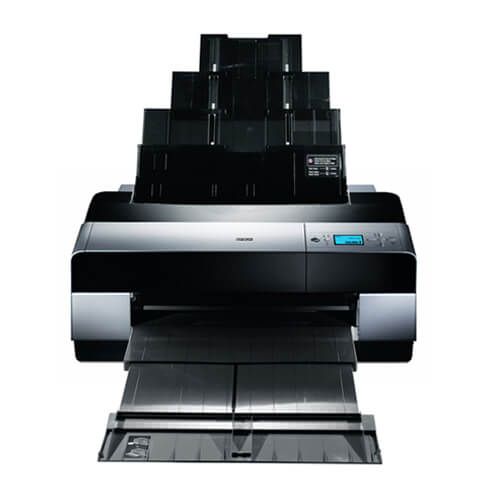
Epson Stylus Pro 3800 Professional Ink Cartridges
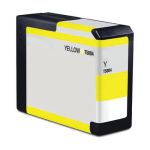
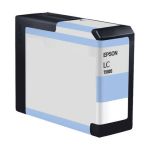
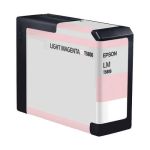
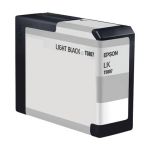
Epson Stylus Pro 3800 Professional Ink Cartridges Replacement Guide
- Make sure that the printer is turned on. If the "Ink Drop" icon is red and if you see a message on your printer screen that says "Replace Ink Cartridge", just press the "Up Arrow" button to unlock the ink cartridge cover. If the "Ink Drop" is blinking and if the message that appears on the screen says "Ink Low", press and hold the "Up Arrow" button for 3 seconds to unlock the cartridge cover.
- Lift open the ink cartridge cover to access the ink cartridges. To release the ink cartridge, just push the eject button at the top of it, then carefully pull the cartridge out from the printer.
- Get your new CompAndSave's Epson 3800 Professional ink cartridges, shake it for about four to six times before opening from the package. Open it over a sink or garbage can to avoid any messes in case it leaks as sometimes, factories tend to overfill ink cartridges. Make sure to touch the black plastic part only, then remove the covering tape that is usually bright in color as well as the plastic protective case, if there is, before installing it.
- Insert the Epson Stylus Pro 3800 ink cartridge to its respective slot, make sure that the arrow on the cartridge is pointing to the back of the printer and it should be facing up. Gently push the cartridge until it snaps lock into place.
- Close the ink cartridge's cover until it snap indicating that it's locked into place.
Epson Stylus Pro 3800 Professional Ink Cartridges FAQs
Is it worth it to refill ink cartridges?
The answer is yes. Refilling an ink cartridge is somehow worth it. Refilling an ink cartridge is an alternative from buying a new original one. You can just have your empty original ink cartridge refilled by doing it yourself. You will need to have the right tools and clear instruction or manual. You can also visit your nearest stores or retailers that offer refilling services if you prefer to have them refill your empty cartridge. However, to avoid printing problems, we recommend you replace any empty ink cartridges rather than refilling it, which may cause leaks or clog a print head. CompAndSave offers a wide variety of cheap printer ink cartridges without compromising its quality so you can print to your heart's content.
Where is the cheapest place to buy ink cartridges?
If you are looking for the cheapest place to buy ink cartridges, you should consider buying remanufactured ink at CompAndSave. Our ink cartridges are designed to meet or exceed the OEM specifications so it will work the same way as the original ones at a much lesser price. On top of that, our products are also covered with a 1-year satisfaction guarantee.
Why are Epson cartridges so expensive?
OEM ink and toner manufacturers claim that the high cost of these cartridges is due to the research and development of technologies to deliver high-quality ink and toner. However, it is worth noting that there are generic cartridges that exceed OEM requirements while being less expensive than their counterparts. CompAndSave's compatible and replacement ink and toner cartridges are engineered to meet or exceed OEM standards. That is to say, you can have the same print quality and page output without spending a fortune. Please keep in mind that using generic, remanufactured, or replacement cartridges will never void the warranty on your printer.
Epson Stylus Pro 3800 Professional Ink Cartridges Reviews
-
Review for Replacement Epson T580400 T5804 Pigment Yellow Ink Cartridge - 80ml
great inks!
Was this review helpful? -
I'll order againReview for Replacement Epson T580400 T5804 Pigment Yellow Ink Cartridge - 80ml
i get my inks fast and friendly
Was this review helpful? -
Works wellReview for Replacement Epson T580400 T5804 Pigment Yellow Ink Cartridge - 80ml
The ink works well and is nearly identical to Epson ink, to the point I can't see a difference. The chip doesn't read full, or indeed at all, so it's a bit of a guessing game as to how much is left, but that's a small price to pay for substantial savings
Was this review helpful? -
Worked perfectlyReview for Replacement Epson T580200 T5802 Pigment Cyan Ink Cartridge - 80ml
Product worked perfectly as described. No, non-epson cartridge readings. Dropped it in and worked smoothly.
Was this review helpful? -
Epson replacement ink cartridgeReview for Replacement Epson T580400 T5804 Pigment Yellow Ink Cartridge - 80ml
The delivery was timely and the remanufactured cartridge worked seamlessly . Thanks
Was this review helpful? -
Not compatable with Pro 3880Review for Replacement Epson T580300 T5803 Pigment Magenta Ink Cartridge - 80ml
Just a note: the two magenta's (T8506 and T5803) are NOT comparable with the 3880 series which need the 'vivid' magenta and 'vivid' light magenta. All the other inks are comparable and produce prints just like the OEM inks.
Was this review helpful? -
Not compatable with Pro 3880Review for Replacement Epson T580600 T5806 Pigment Light Magenta Ink Cartridge - 80ml
Just a note: the two magenta's (T8506 and T5803) are NOT comparable with the 3880 series which need the 'vivid' magenta and 'vivid' light magenta. All the other inks are comparable and produce prints just like the OEM inks.
Was this review helpful?