
 FREE Standard Shipping on Orders Over $50
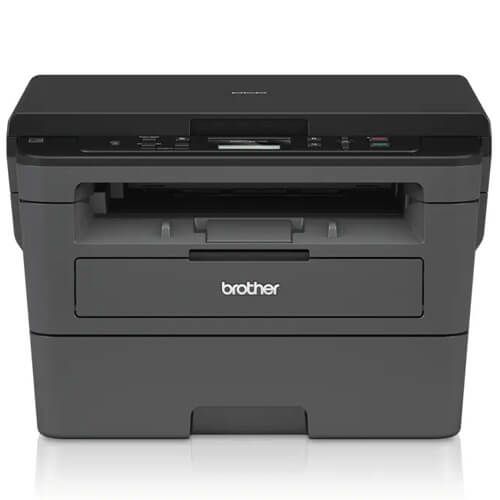
Brother DCP-L2510D Toner Cartridges
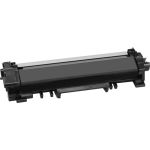
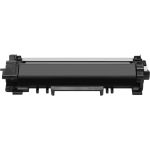
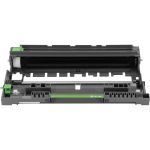
Brother DCP-L2510D Toner Replacement Guide
- Make sure that the printer is turned on.
- Open the printer's front cover by pressing the door release button.
- Grab the drum unit by its handle, then carefully pull it until it stops.
- Press the toner release button to release the cartridge, then remove it from the drum unit.
- Clean the drum unit's corona wire by sliding the green plastic tab back and forth.
- Get your new CompAndSave toner cartridge. Open the cartridge over a sink or garbage can to avoid any messes in case of a powder leak as sometimes, factories tend to overfill toner cartridges. Avoid touching the bottom part of the toner, then remove the covering tape that is usually bright in color as well as the plastic protective case, if there is, before installing it.
- Insert the new toner cartridge into the drum unit until it snaps lock into place.
- Put the drum unit back to its original position and close the printer's front cover.
Brother DCP-L2510D Toner Cartridge FAQs
Why are Brother toner cartridges so expensive?
OEM ink and toner manufacturers claim that the high cost of toner cartridges is due to the research and development of technologies to deliver high-quality ink and toner. However, it is worth noting that there are generic cartridges that exceed OEM requirements while being less expensive than their counterparts. CompAndSave's compatible and replacement ink and toner cartridges are engineered to meet or exceed OEM standards. That is to say; you can have the same print quality and page output without spending a fortune. Please keep in mind that using generic, remanufactured, or replacement cartridges will never void the warranty on your printer. For additional information, please visit ink knowledge base, and you will be redirected to the right page.
Can you use compatible toner in Brother printer?
Absolutely! CompAndSave's generic, compatible, replacement or remanufactured toner cartridges are designed to meet or exceed the OEM specifications. This means that you can get the same print quality and number of prints without paying as much as you would for the original toner cartridges. Aside from this, using generic toner cartridges will never void the printer's warranty. So you can shop and use our toner cartridges without any worry. For more information about our toner cartridges, click ink knowledge base, and you will be redirected to the right page.
Compatible Brother DCP-L2510D Toner Cartridges Reviews
-
Review for Brother TN760 (4-pack) Compatible High Yield Black Laser Toner Cartridges
Things went smoothly this time
Was this review helpful? -
Glad I used this siteReview for Brother TN760 (2-pack) Compatible High Yield Black Laser Toner Cartridges
Great product and value
Was this review helpful? -
Review for Brother TN760 (4-pack) Compatible High Yield Black Laser Toner Cartridges
The ink cartridges seem to work great, once in a while we will get a bad one that doesn't work as well , but overall its good.
Was this review helpful? -
Defective product and bad customer serviceReview for Brother DR730 (Compatible) Laser Drum Unit (DR-730)
I received a defective item and they will not send a new one. I tried to get help returning it and the chat service was bad. I will keep trying but I will be buying from Amazon from now on.\
Was this review helpful? -
Inna is my first nameReview for Brother TN760 (Compatible) High Yield Black Laser Toner Cartridge
Thank you! The product is good
Was this review helpful? -
great service and priceReview for Brother TN760 (2-pack) Compatible High Yield Black Laser Toner Cartridges
the order was fine . and most of all the price was right on! thank you again
Was this review helpful?