
 FREE Standard Shipping on Orders Over $50
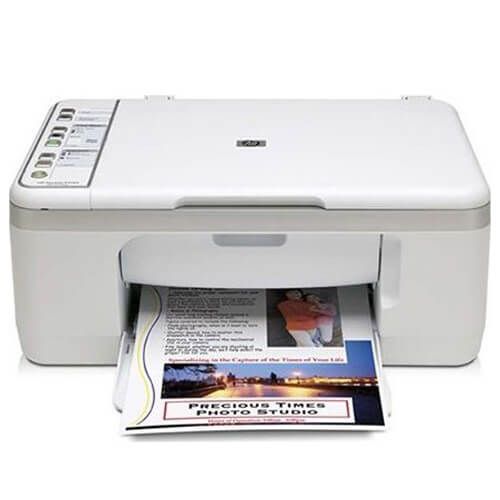
HP DeskJet F2220 Ink Cartridges
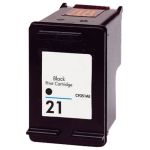
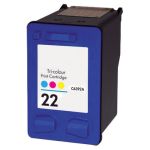
HP DeskJet F2220 Ink Cartridge Replacement Guide
- Make sure that the printer is turned on and load a stack of plain white paper in the paper tray.
- Open the output tray in front of the printer. Look for the handles inside and grip it open to access the ink cartridges.
- The ink cartridge's carriage will automatically move so make sure to wait for it to completely stop moving before you proceed.
- Gently push down the ink cartridge to release it then pull it out from the printer.
- Get your new CompAndSave HP F2220 ink cartridge, and open it over a sink or garbage can to avoid any messes in case it leaks as sometimes, factories tend to overfill ink cartridges. Make sure to touch the black plastic part only, then remove the covering tape that is usually bright in color as well as the plastic protective case, if there is, before installing it.
- Insert the HP DeskJet F2220 printer ink cartridge into its respective slot, and gently push it in until it snaps lock into place.
- Close the printer cartridge access door and let it print the alignment page.
HP DeskJet F2220 Ink Cartridge FAQs
Can you use compatible ink cartridges in HP printers?
Yes! CompAndSave's replacement, remanufactured, or compatible ink cartridges are designed to meet or exceed the OEM specifications. This means that you can the same print quality and number of prints without paying as much compared to the original ink cartridges. Using these types of cartridges will not void your printer's warranty. To know more about these types of ink cartridges, click ink knowledge base and you will be redirected to the right page.
Why does my HP printer say incompatible ink cartridge?
There are several reasons why your printer will show an "Incompatible Ink Cartridge" error. First, make sure that the ink cartridge you installed on your printer is the right model number. To verify this, check the printer's manual or the last ink cartridge that worked on your printer, and look for the model number which consists of alphanumeric characters. For example, HP DeskJet F2220 uses the ink cartridge with the model code HP 21. Next, your printer might be having trouble reading the ink cartridge. To fix this issue, remove the ink cartridge from the printer, then wipe the copper part of the cartridge with a damp non-abrasive towel or cloth. Install the cartridge back into the machine and turn it off for 15 minutes. For more troubleshooting steps, click Troubleshooting Tips and you will be redirected to the right page.
Replacement HP DeskJetF2220 Ink Cartridges Reviews
-
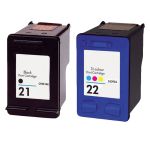
Review for HP 21 / C9351AN Black & HP 22 / C9352AN Color (2-pack) Replacement Ink Cartridges (1x Black, 1x Color)
everything was fine just tha
Was this review helpful? -
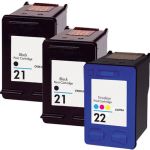
This is the second time ...Review for HP 21 / C9351AN Black & HP 22 / C9352AN Color (3-pack) Replacement Ink Cartridges (2x Black, 1x Color)
This is the second time I purchases from ComboInk and again they delivered a great product as expect , on time & at a great price. Their website is in my favorite bookmarks.
Was this review helpful? -
Review for HP 21 / C9351AN Black & HP 22 / C9352AN Color (3-pack) Replacement Ink Cartridges (2x Black, 1x Color)
Priced right and on time. Easy peasy
Was this review helpful? -
Review for HP 21 / C9351AN Black & HP 22 / C9352AN Color (3-pack) Replacement Ink Cartridges (2x Black, 1x Color)
Quick + easy
Was this review helpful? -
Review for HP 21 / C9351AN Black & HP 22 / C9352AN Color (2-pack) Replacement Ink Cartridges (1x Black, 1x Color)
My ink was great and worked perfectly!
Was this review helpful? -
Review for HP 21 / C9351AN / C9351A Replacement Black Ink Cartridge
So far the ink cartridge I purchased is working well.
Was this review helpful? -
Review for HP 21 / C9351AN Black & HP 22 / C9352AN Color (3-pack) Replacement Ink Cartridges (2x Black, 1x Color)
Very easy to order and timely delivery.
Was this review helpful? -
Satisfied CustomerReview for HP 21 / C9351AN Black & HP 22 / C9352AN Color (2-pack) Replacement Ink Cartridges (1x Black, 1x Color)
I have no complaints about this product. Serves my purpose very well and price is very good. Glad I started using. Delivered in a timely manner. \ Will continue to buy from them. 100%.
Was this review helpful? -
Really good products, pricing and service!Review for HP 21 / C9351AN Black & HP 22 / C9352AN Color (2-pack) Replacement Ink Cartridges (1x Black, 1x Color)
The cartridges came a little earlier than initially expected and the quality is great. Definitely a go-to site for this office/home office supply.
Was this review helpful? -
Defective inkReview for HP 21 / C9351AN Black & HP 22 / C9352AN Color (2-pack) Replacement Ink Cartridges (1x Black, 1x Color)
It was really hard to get the printer ink to work. It kept printing test pages and it will not stop moving in the compartment.
Was this review helpful?