
 FREE Standard Shipping on Orders Over $50
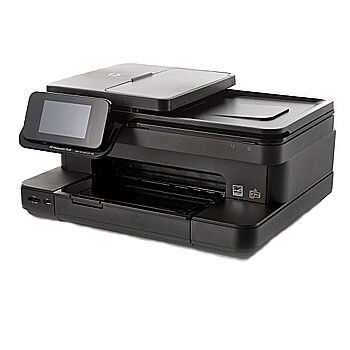
HP Photosmart 7520 Ink Cartridges
MOST POPULAR
High yield cartridge. Contains more ink and print more pages.
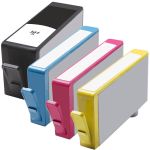
HP 564XL Combo Pack of 4 High Yield Replacement Ink Cartridges (1x Black, 1x Cyan, 1x Magenta, 1x Yellow)
Color(s):
Black
Cyan
Magenta
Yellow
SKU: ZINK-HP-HP564XL-COMBO4
High yield cartridge. Contains more ink and print more pages.
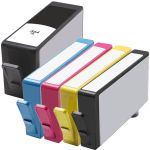
HP 564XL (5-pack) High Yield Replacement Ink Cartridges (1x Black, 1x Cyan, 1x Magenta, 1x Yellow, 1x Photo Black)
Color(s):
Black
Photo Black
Cyan
Magenta
Yellow
SKU: ZINK-HP-HP564XL-COMBO5
High yield cartridge. Contains more ink and print more pages.
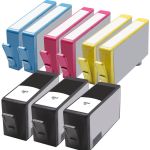
HP 564XL (9-pack) High Yield Replacement Ink Cartridges (3x Black, 2x Cyan, 2x Magenta, 2x Yellow)
Color(s):
Black
Cyan
Magenta
Yellow
SKU: ZINK-HP-HP564XL-COMBO9
High yield cartridge. Contains more ink and print more pages.
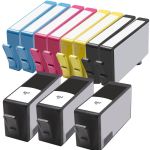
HP 564XL (11-pack) High Yield Replacement Ink Cartridges (3x Black, 2x Cyan, 2x Magenta, 2x Yellow, 2x Photo Black)
Color(s):
Black
Photo Black
Cyan
Magenta
Yellow
SKU: ZINK-HP-HP564XL-COMBO11
High yield cartridge. Contains more ink and print more pages.
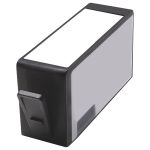
HP 564XL / CN684WN / CB321WN Black Replacement High Yield Ink Cartridge
Color(s): Black
SKU: INK-HP-CB321WN
$5.99
High yield cartridge. Contains more ink and print more pages.
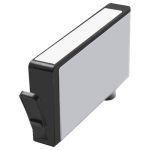
HP 564XL / CB322WN / CR277WN Photo Black Replacement High Yield Ink Cartridge
Color(s): Photo Black
SKU: INK-HP-CB322WN
$5.99
High yield cartridge. Contains more ink and print more pages.
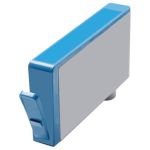
HP 564XL / CN685WN / CB323WN Cyan Replacement High Yield Ink Cartridge
Color(s): Cyan
SKU: INK-HP-CB323WN
$5.99
High yield cartridge. Contains more ink and print more pages.
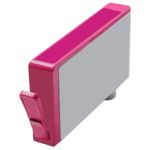
HP 564XL / CN686WN / CB324WN Magenta Replacement High Yield Ink Cartridge
Color(s): Magenta
SKU: INK-HP-CB324WN
$5.99
High yield cartridge. Contains more ink and print more pages.
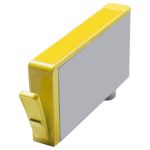
HP 564XL / CN687WN / CB325WN Yellow Replacement High Yield Ink Cartridge
Color(s): Yellow
SKU: INK-HP-CB325WN
$5.99
How to Replace HP Photosmart 7520 Ink Cartridge
- Make sure your printer is powered on.
- Wait for the printer to set into idle and silent mode
- Open the lid cover to reveal the ink cartridges
- Remove the empty ink cartridge by pushing down on the lever of the corresponding cartridge and pulling it out of its slot.
- Remove the packaging from the replacement ink cartridge and take off the protective tape.
- Match up the correct slot to the ink cartridge and push the cartridge into the slot until it click into place.
- Close the cover lid and you're all set to start printing!
Resource Links
Find your HP Photosmart 7520 drivers and HP Photosmart 7520 manuals for your printer needs.
FAQ - Frequently Asked Questions
- How do I reset my HP Photosmart 7520?
-
- While the printer is still on, disconnect the power cable from the printer.
- Make sure to disconnect any other cables from your printer.
- For 15 seconds, press and hold the power button on your printer.
- Connect the printer directly into a wall outlet.
- Reconnect the power cable
- Turn on the printer and wait until the printer has completed its warm up period.
- Check the printer display and make a copy as well as accessing the web services.
- How do I fix the printhead on my HP Photosmart 7520?
-
- Reset the printer
- Reset the printhead
- Replace the printhead
- Service the printer
- How do I fix the alignment on my HP Photosmart printer?
-
- Aligning the ink cartridges
- Resetting the printer
- Using the correct type of paper
- Why is my HP Photosmart 7520 offline?
-
- Re-connect your HP Photosmart 7520 printer to wireless network, even if your printer says its already connected.
- Check the wireless blue light status on printer.
- blue light is solid (connected)
- blue light blinking (not connected)
- Install latest printer drivers on windows or Mac computer.
- Run HP Scan and Doctor setup.
- Restart your HP Photosmart 7520 printer and computer.
- Try to print again.
- If the printer still says offline then contact HP Printer Support over the phone for help, 1-800-667-9229.
For more troubleshooting tips, visit HP Photosmart 7520 Troubleshooting Guide for HP Photosmart 7520 wireless setup steps, HP Photosmart 7520 printhead failure troubleshooting, HP Photosmart 7520 printer problems, and much more!
What our customers say about HP Photosmart 7520
228
Customer Reviews
Sort by
Newest
Helpfulness
-
Review for HP 564XL Combo Pack of 4 High Yield Replacement Ink Cartridges (1x Black, 1x Cyan, 1x Magenta, 1x Yellow)
Always on time and always excellent cartdridges
Was this review helpful? -
Review for HP 564XL / CN684WN / CB321WN Black Replacement High Yield Ink Cartridge
Once again very satisfied with order
Was this review helpful? -
Review for HP 564XL Combo Pack of 4 High Yield Replacement Ink Cartridges (1x Black, 1x Cyan, 1x Magenta, 1x Yellow)
Great product and $$$ good as well. I am very satisfied
Was this review helpful? -
Very satisfiedReview for HP 564XL / CN684WN / CB321WN Black Replacement High Yield Ink Cartridge
Good product & good delivery time
Was this review helpful? -
Never disappointsReview for HP 564XL / CN684WN / CB321WN Black Replacement High Yield Ink Cartridge
Great product and service
Was this review helpful? -
Review for HP 564XL Combo Pack of 4 High Yield Replacement Ink Cartridges (1x Black, 1x Cyan, 1x Magenta, 1x Yellow)
Great price and fast delivery
Was this review helpful? -
Review for HP 564XL Combo Pack of 4 High Yield Replacement Ink Cartridges (1x Black, 1x Cyan, 1x Magenta, 1x Yellow)
Excellent product
Was this review helpful? -
Review for HP 564XL / CN684WN / CB321WN Black Replacement High Yield Ink Cartridge
Great product
Was this review helpful? -
Review for HP 564XL / CN684WN / CB321WN Black Replacement High Yield Ink Cartridge
Great product
Was this review helpful? -
Recommend Comboink !Review for HP 564XL (5-pack) High Yield Replacement Ink Cartridges (1x Black, 1x Cyan, 1x Magenta, 1x Yellow, 1x Photo Black)
I have been buying ink products from ComboInk for at least 10 years now, and I have never been disappointed. Good product. Good quality. Fast delivery.
Was this review helpful?