
 FREE Standard Shipping on Orders Over $50
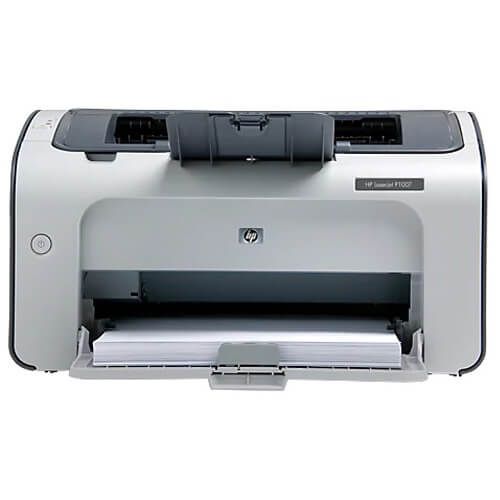
HP LaserJet Pro P1107 Toner Cartridges
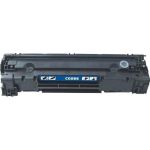
HP LaserJet Pro P1107 Toner Replacement Guide
- Open the printer's top cover by pressing the release button.
- Carefully pull the toner cartridge that needs to be replaced out from the printer.
- Get your new CompAndSave HP P1107 toner cartridge, gently shake the toner cartridge before removing the plastic protective tape. Open the cartridge over a sink or garbage can to avoid any messes in case of a powder leak as sometimes, factories tend to overfill toner cartridges. Avoid touching the bottom part of the toner, then remove the covering tape that is usually bright in color as well as the plastic protective case, if there is, before installing it.
- Carefully align and insert the HP LaserJet Pro P1107 cartridge into its slot until the toner is secured in place.
- Close the printer's top cover.
HP LaserJet Pro P1107 Toner Cartridge FAQs
Can you refill toner cartridges yourself?
Yes, you can; however, it is not recommended since you have to replace some parts of the toner as well. If you think of refilling an empty toner cartridge, please bear in mind the following pros and cons. The major advantage of refilling is cost-efficiency. It'll be a way cheaper option rather than purchasing a new genuine one. On the other hand, refilled toner cartridges can have issues with print quality and durability. The toner consists of different parts such as rolling gears, cleaning blades, etc. These parts wear out over time which can cause noise when printing, low-quality printouts, and even leakage inside the printer. Another thing to look into is the imaging drum; these hold the image before the toner powder is applied to the paper. Just like the toner, parts of the imaging drum also wear and tear over time.
To sum it all up, we highly encourage you to have it refilled through stores that offer refilling services instead. If you choose to purchase a new one, we at CompAndSave offer a wide variety of cheap printer toner cartridges at a much lower price without compromising their quality. Our toners are manufactured to meet or exceed the OEM specifications, which will save you from all the trouble of going through the process of refilling a toner cartridge.
Is it OK to use generic toner cartridges?
Absolutely! CompAndSave's generic, compatible, replacement or remanufactured toner cartridges are designed to meet or exceed the OEM specifications. This means that you can get the same print quality and number of prints without paying as much compared to original HP toner cartridges. Aside from this, using generic toner cartridges will never void the printer's warranty. So you can shop and use our toner cartridges without any worry. For more information about our toner cartridges, click ink knowledge base and you will be redirected to the right page.
Replacement HP LaserJet Pro P1107 Toner Cartridges Reviews
-
Review for HP 85A / CE285A (4-pack) Replacement Black Laser Toner Cartridges
Still enjoying your product.Very satisfied with the quality and performance. Will order from your website again.Thank you.
Was this review helpful? -
Excellent replacement for OEM.Review for HP 85A / CE285A (2-pack) Replacement Black Laser Toner Cartridges
Excellent replacement for OEM. No problems
Was this review helpful? -
quality and priceReview for HP 85A / CE285A (2-pack) Replacement Black Laser Toner Cartridges
saved a lot it's, cheap and good quality keep ordering every month it's worth for the price
Was this review helpful? -
Old HP 11oo Laser printerReview for HP 85A / CE285A (4-pack) Replacement Black Laser Toner Cartridges
Ink replacements worked perfectly.
Was this review helpful? -
almost identical as genuine one, cheaperReview for HP 85A / CE285A (2-pack) Replacement Black Laser Toner Cartridges
I used it to print own staff like documents. It's almost the same as original HP ones, but it's much more cost effective.
Was this review helpful? -
excellent product, great priceReview for HP 85A Toner Cartridge (Replacement) CE285A - Black
I use my printer every day as a student. Works great, will update for longevity of product. Only issue is that HP will give you a pop up every time you print for using a non HP ink cartridge.
Was this review helpful? -
BEST BARGAIN IN CARTRIDGE INKReview for HP 85A / CE285A (2-pack) Replacement Black Laser Toner Cartridges
PRODUCT IS EASY TO INSTALL. GOOD COLOR. ADJUSTABLE TONES.
Was this review helpful? -
GREAT COMPANYReview for HP 85A Toner Cartridge (Replacement) CE285A - Black
I had to return a cartridge because it was unusable. The company immediately shipped out a new one and sent me a label, at no cost to me, to return damaged cartridge. They have my business for life.
Was this review helpful? -
printing quality is little LIGHTERReview for HP 85A Toner Cartridge (Replacement) CE285A - Black
DESPITE LIGHT PRINTING,I AM STILL SATISFIED
Was this review helpful? -
I was skeptical....but proud of purchaseReview for HP 85A / CE285A (4-pack) Replacement Black Laser Toner Cartridges
The price is awesome and so far the quality seems to be unbeatable
Was this review helpful?